About Anthony Irwin
I have been using computers my entire life, starting with an Amstrad CPC 6128 with 128 KB of RAM and no hard drive. I began programming at around 10 years old, typing in game code listings in BASIC and making modifications to learn how they worked.
In high school, I studied programming with Turbo Pascal 7 and Visual Basic 5. I started using Linux in 1998, drawn to its superior support for programming languages and server software compared to Windows.
In January 2000, I began an IT traineeship with ByTech Computer Systems. Already proficient with Linux, I set up file servers, print servers, and fax servers for small businesses — filling a gap where Windows NT was too expensive and business-grade printers lacked built-in network functionality. I also took on web development and built custom PHP and MySQL applications for business management.
Over the years I have worked as a Linux systems administrator at a web hosting company, managed Red Hat and Ubuntu VPS machines from the command line, and developed a wide range of software — from LAMP-stack business management systems to desktop applications and build scripts.
I am currently studying a Diploma of Information Technology (Advanced Programming) at TAFE SA, with two subjects remaining.
I started using Linux in 1998 and have been using it as my primary desktop operating system and server platform ever since. My day to day desktop environment is ArchLinux with Hyprland for desktop usage.
When I started my IT career in 2000, Linux was the backbone of the services I provided: file servers (Samba), print servers (CUPS), fax servers (Hylafax), email servers (Postfix), web servers (Apache), and DNS (BIND). Before business-grade printers included built-in print and fax servers, Linux turned old desktop computers into reliable network appliances for small businesses.
Over the past 10+ years I have managed Red Hat and Ubuntu virtual private servers via SSH, handling everything from website hosting and email to DNS and custom web applications.
Technologies I have worked with include:
- Linux System Administration (Red Hat, Ubuntu)
- Web Servers: Apache, Nginx
- SSL/TLS: Lets Encrypt for auto generated certificates
- Email: Postfix, Dovecot, SpamAssasin
- DNS: BIND
- Database: MySQL/MariaDB, PostgreSQL, MongoDB, SQLite
I started building and hosting websites in the late 1990s, before most people owned a computer or had an Internet connection. CSS was not yet commonly used, Perl CGI scripts were the primary method for handling contact forms, and PHP was not supported on all hosting platforms.
Over the years I have hosted websites using a variety of control panels in shared hosting environments — long before virtual private servers were commonplace. For well over a decade I have managed Red Hat and Ubuntu VPS machines from the command line, handling web servers, DNS, email, and custom web applications.
I am experienced with both Apache and Nginx, and have built numerous PHP and MySQL web applications — most notably while working at Octal8 I developed a full business management system covering contact and sales management, invoicing, dispatch, and support tracking.
I stay current with modern technologies including REST APIs, web frameworks, and contemporary development practices. I have updated my knowledge through studying the Diploma of Information Technology (Advanced Programming) at TAFE SA with only 2 subjects remaining, as well as through online learning platforms, technical books, and personal projects.
More recently, I migrated my personal website from Wordpress to the Hugo static site generator, which I deploy using GitHub Actions and rsync. I have written blog posts covering Hugo setup, syntax highlighting, search functionality, and automated deployment workflows.
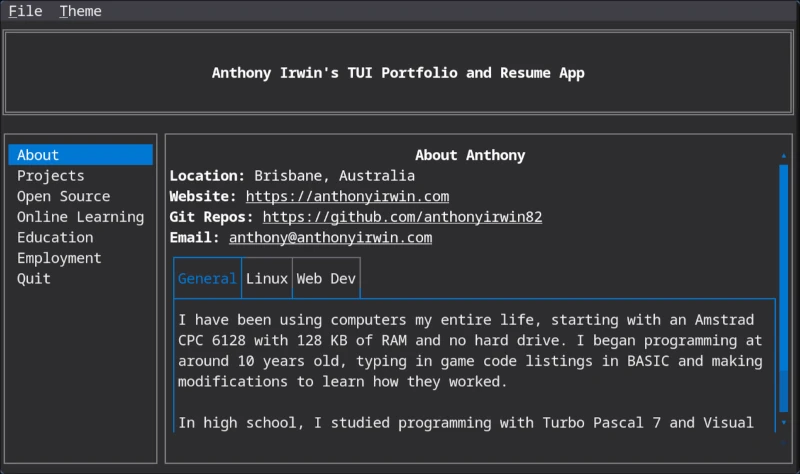
I have created a TUI Portfolio Resume App that technical users can use via SSH to access my most recent Portfolio/Resume. Use the command below to access the app via SSH without installing anything:
ssh anthonyirwin.com -p 2222
Note: MacOS users will need to install a terminal that supports modern features. iTerm2 is a popular choice.
My Software and Scripts
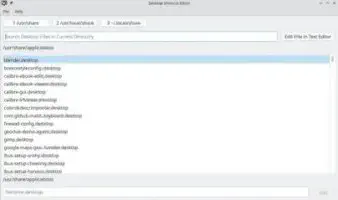
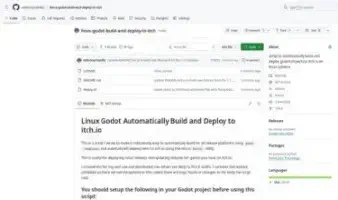
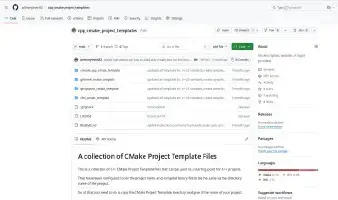
This is a collection of software, scripts and websites that I have developed.
My Metatrader 4 Utilities
I developed these tools around 2015 when I was a member of an online forex trading group. The group recommended trading software that cost hundreds of dollars per month to use. I wrote these utilities to provide features that the paid software had to the free Metatrader 4 platform provided to users by the brokers. I have published them here on my website in the hope that others will find them useful.

Latest Blog Posts:
How to Run Local LLMs on Arch Linux With an RTX 3050 and 64GB RAM
Configure an Arch Linux PC with an RTX 3050 4GB, and 64GB RAM to run local AI models with llama-server: tuned presets for nine models including gpt-oss-20b, the built-in browser chat UI, and OpenCode as a local coding assistant.
Percent Risk Per Trade and Account Balance Loss Over Time
Table showing the number of losing trades in a row to lose your account at different risk levels
How to setup a web development environment on Linux that has dynamic domains for your web applications
Learn how to configure a professional local web development environment on Linux with dynamic wildcard domains (*.test, *.local), automatic SSL certificates, and Nginx reverse proxy for seamless multi-project development.
How to do backups with rsync on Linux
Comprehensive guide to using rsync for backups on Linux systems
How to use GitHub Actions Workflow to Deploy Your Website using rsync automatically
Learn how to automate your Hugo website deployment with GitHub Actions and rsync for fast, secure updates.
How to add Lunr.js Search to Your Hugo Website
Learn how to integrate Lunr.js for fast, client-side search functionality in your Hugo static site.
How to use Github Actions to Deploy a Hugo Website to GitHub Pages automatically
In this post, I'll walk you through a complete GitHub Actions workflow for building and deploying a Hugo static website to GitHub Pages. This setup is ideal for developers who want a free, automated hosting solution for their blogs, documentation sites, or portfolios. It replaces manual uploads with a push-to-deploy pipeline.
How to Setup Hugo Admonitions (Markdown Callouts in Hugo)
By adding Hugo Admonitions to your website so you can easily add stylish note bars for things like tips, warnings, cautions, important information etc. You can do this quickly and easily directly using markdown.
How to setup Syntax Highlighting with Copy Button using Hugo
In this post, I’ll show you how to add syntax highlighting and a ‘Copy’ button to your Hugo code blocks using a single self-contained JavaScript file. You’ll be able to highlight code in multiple languages, optionally show line numbers, and let users copy snippets with one click.
How to strip unused CSS from your CSS files and Minify them into a single CSS file using Hugo
Using Hugo with PostCSS and PurgeCSS allows you to automatically remove unused CSS and bundle all your styles into a single minified file for production, improving page load times and performance.